

x402 quickstart
In this guide you’ll charge 0.01 USDC on Base for GET /v1/weather/:city, then make the first payment yourself. The payment lands in your own wallet.
You need:
- A Cryptonly account with business verification approved. Until it’s approved, payments fail with
settlement_disabled. - Node.js 18 or later.
- A wallet on Base to receive payments, such as MetaMask or a Safe.
- A second wallet with a little USDC on Base, to act as the buyer. It needs no ETH.
Prices from the dashboard need one of the Node.js packages below. For a seller in Python or Go, see Prices in your code.
Open dashboard Create accountUnder x402 payments, the Overview tab tracks the steps below:
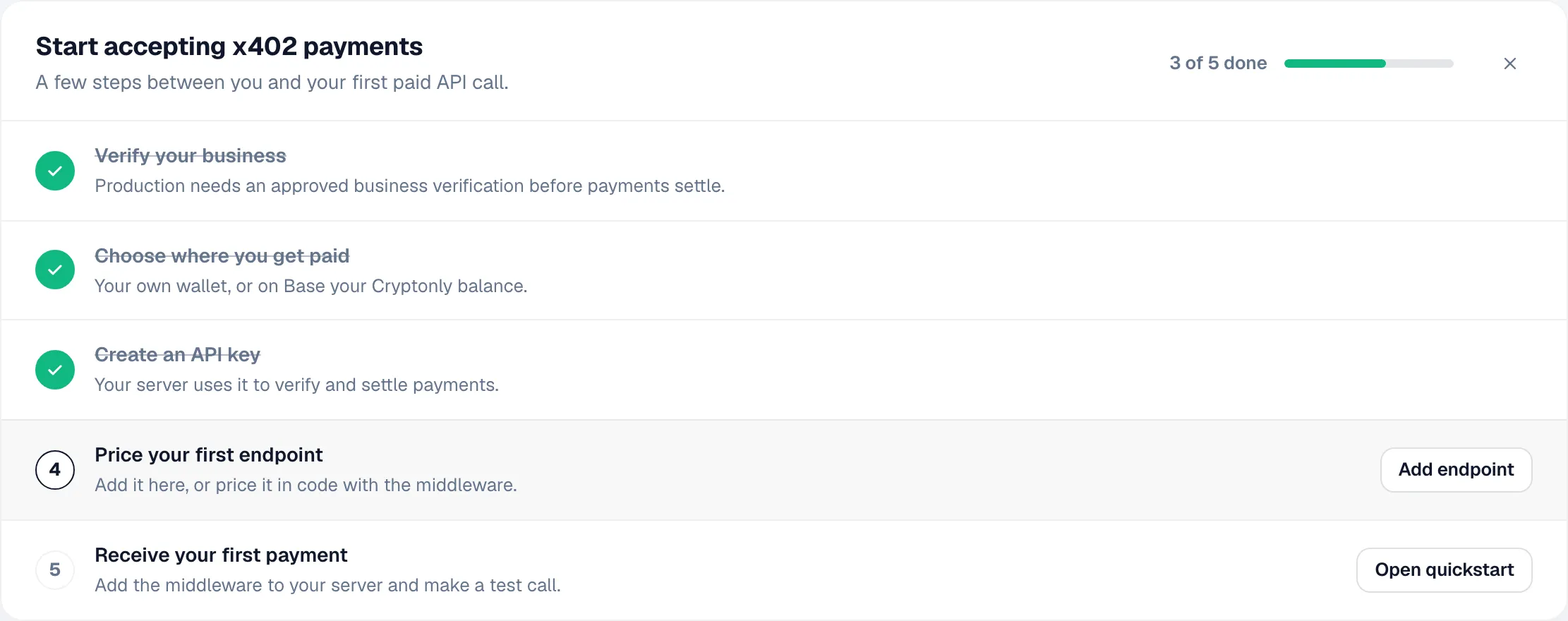
-
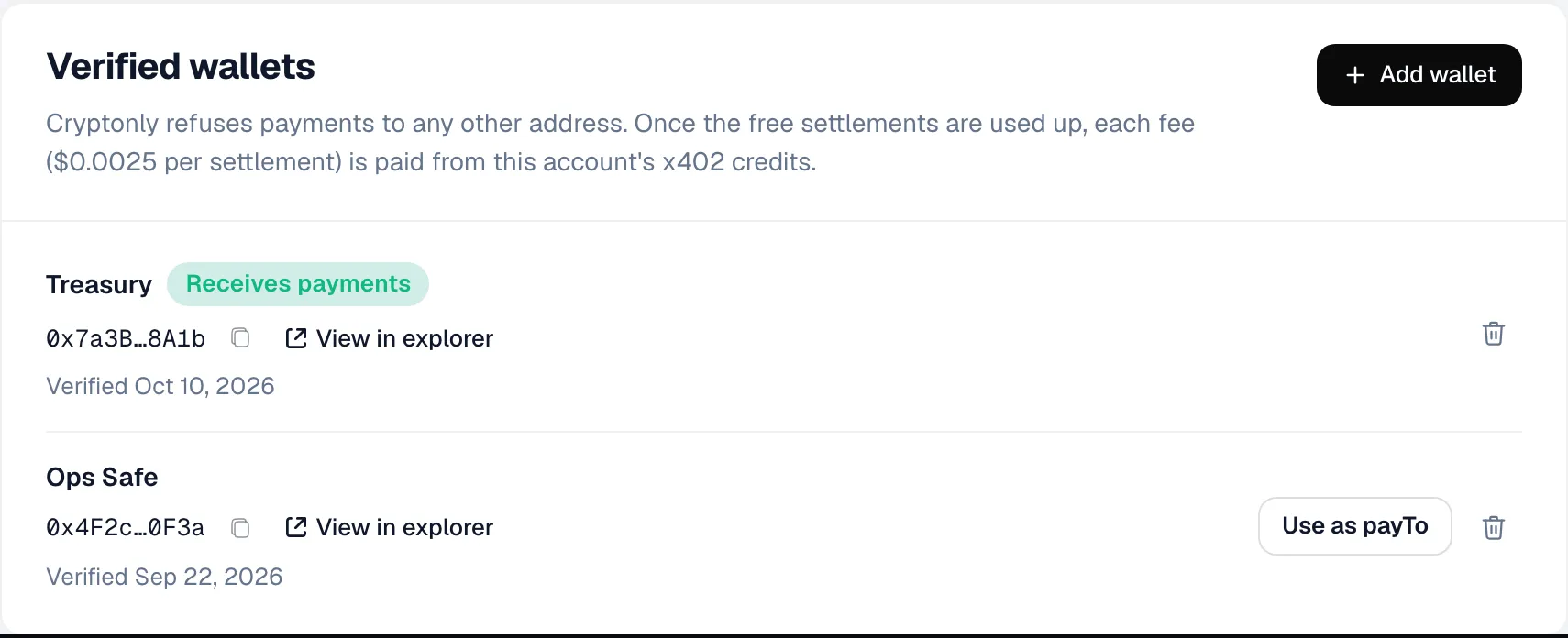
Add a payout wallet
Go to Settings → Payouts → Add wallet, paste your address and sign the message. Payments will go to this wallet.
-
Create an API key
Go to Settings → Integration → Create x402 key. Save it as
CRYPTONLY_API_KEY. You’ll only see it once.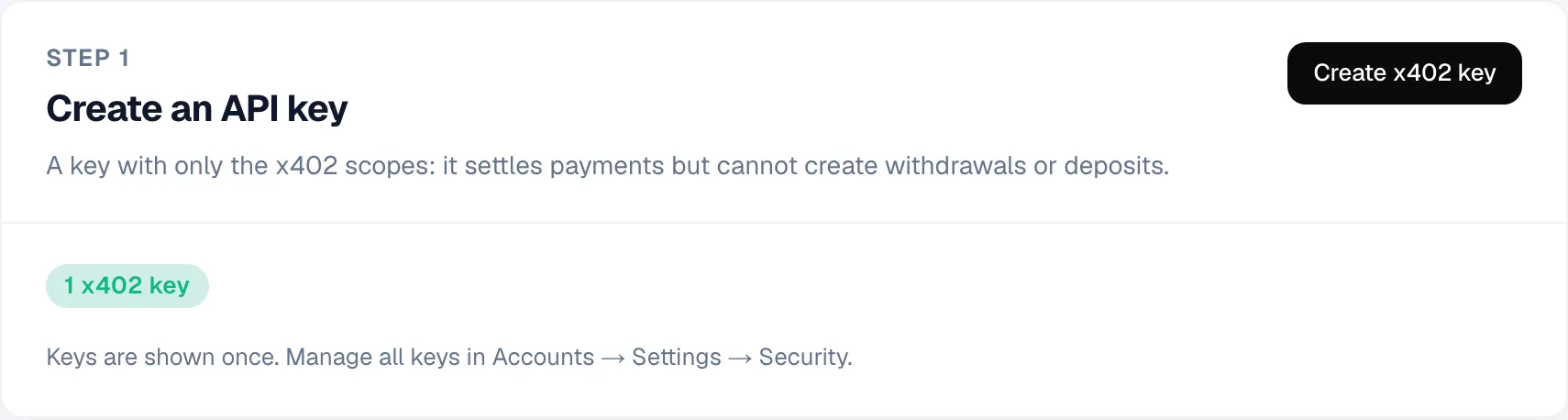
-
Set a price
On the Endpoints tab, click Add endpoint:
- URL: your API’s URL with the path
/v1/weather/:city.:citymatches any value. - Price:
0.01USDC on Base.
To accept another currency too, such as USDC on Solana, click Add currency. The 402 offers every price and the buyer pays with any of them.
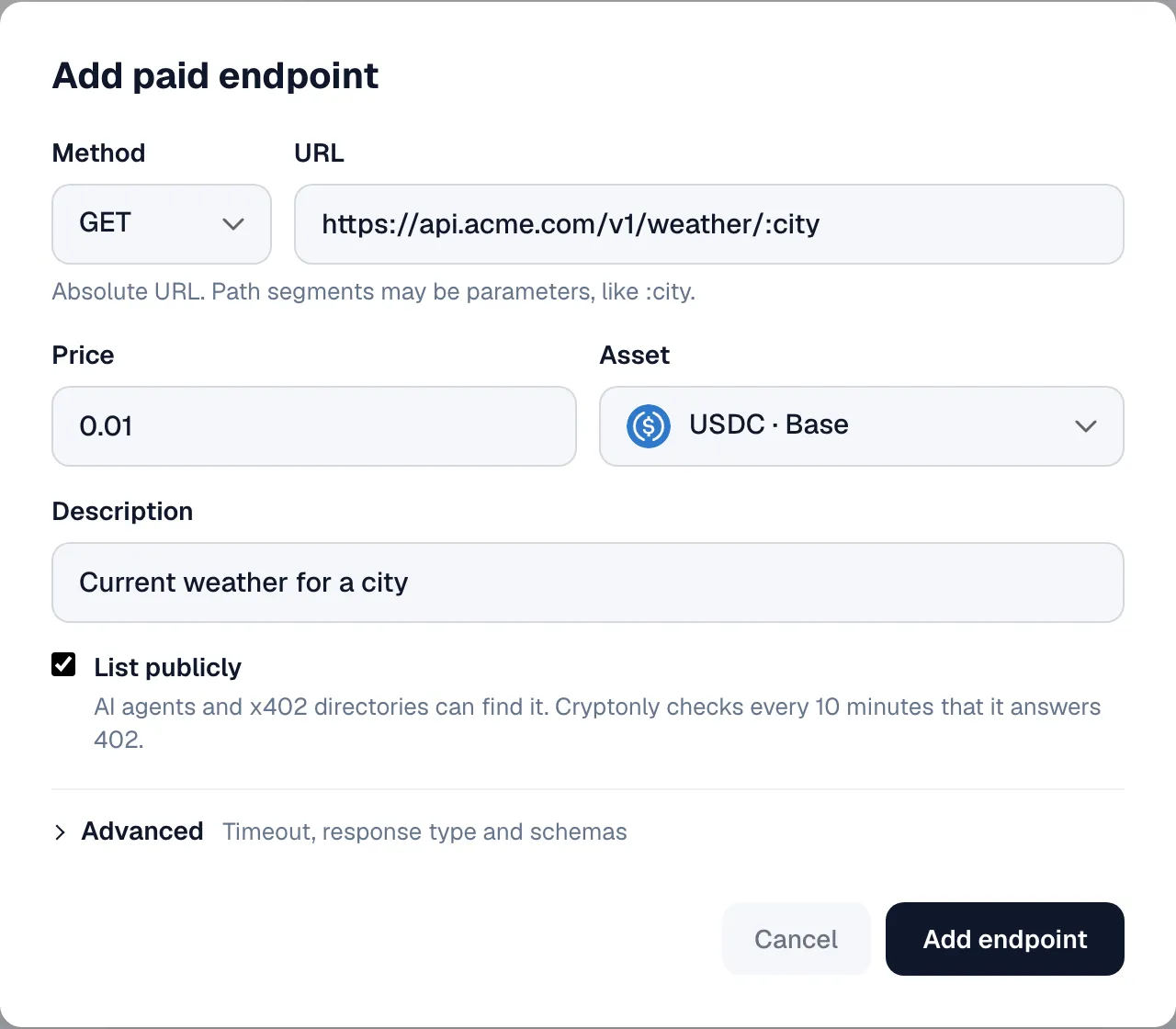
Leave List publicly off for now. It adds the endpoint to the discovery feed.
- URL: your API’s URL with the path
-
Add the middleware
Terminal window npm install @cryptonly/x402-express @x402/core @x402/express @x402/evm expressimport express from 'express';import { cryptonlyPaymentMiddleware } from '@cryptonly/x402-express';const app = express();app.get('/health', (_req, res) => res.send('ok')); // free routes go firstconst payments = cryptonlyPaymentMiddleware({apiKey: process.env.CRYPTONLY_API_KEY!,});app.use(payments);app.get('/v1/weather/:city', (req, res) => {res.json({ city: req.params.city, temperatureC: 21 });});await payments.ready(); // fails at startup if the prices can't loadapp.listen(4021);Terminal window npm install @cryptonly/x402-fastify @x402/core @x402/fastify @x402/evm fastifyimport Fastify from 'fastify';import { cryptonlyPayments } from '@cryptonly/x402-fastify';const app = Fastify();await app.register(cryptonlyPayments, {apiKey: process.env.CRYPTONLY_API_KEY!,});app.get('/v1/weather/:city', async (request) => {const { city } = request.params as { city: string };return { city, temperatureC: 21 };});await app.cryptonlyX402.ready(); // fails at startup if the prices can't loadawait app.listen({ port: 4021 });Terminal window npm install @cryptonly/x402-nestjs @x402/core @x402/evmimport { Controller, Get, Module, Param } from '@nestjs/common';import { X402, X402Module } from '@cryptonly/x402-nestjs';@Controller('v1/weather')class WeatherController {@X402() // the price comes from the dashboard@Get(':city')get(@Param('city') city: string) {return { city, temperatureC: 21 };}}@Module({imports: [X402Module.forRoot({ apiKey: process.env.CRYPTONLY_API_KEY!, isGlobal: true }),],controllers: [WeatherController],})export class AppModule {}Listen on port 4021 in
main.ts(await app.listen(4021)). Only handlers with@X402()ask for payment. It works on the Express and the Fastify platform.The middleware loads your prices from the dashboard and refreshes them every minute, so price changes need no deploy. It matches endpoints by path, so it works on
localhosttoo. -
Check that the endpoint asks for payment
Terminal window curl -i http://localhost:4021/v1/weather/paris# HTTP/1.1 402 Payment Required -
Pay for it
Run this as the buyer, with the buyer wallet’s key in
BUYER_PRIVATE_KEY:Terminal window npm install @x402/fetch @x402/evm viemimport { wrapFetchWithPaymentFromConfig } from '@x402/fetch';import { ExactEvmScheme } from '@x402/evm/exact/client';import { toClientEvmSigner } from '@x402/evm';import { createPublicClient, http } from 'viem';import { privateKeyToAccount } from 'viem/accounts';import { base } from 'viem/chains';const account = privateKeyToAccount(process.env.BUYER_PRIVATE_KEY as `0x${string}`);const publicClient = createPublicClient({ chain: base, transport: http() });const pay = wrapFetchWithPaymentFromConfig(fetch, {schemes: [{ network: 'eip155:8453', client: new ExactEvmScheme(toClientEvmSigner(account, publicClient)) },],});const response = await pay('http://localhost:4021/v1/weather/paris');console.log(response.status, await response.json());// 200 { city: 'paris', temperatureC: 21 }The payment shows up on the Payments tab within seconds. For a buyer in Python or Go, see buyer clients.
Next steps
Section titled “Next steps”Test in the sandbox
Section titled “Test in the sandbox”To try x402 without real money, or before your business verification is approved, use the free sandbox. Follow the same steps with these changes:
- Use a sandbox account. Its keys and wallets are separate from production.
- Pass
sandbox: truetocryptonlyPaymentMiddleware,cryptonlyPaymentsorX402Module.forRoot(). - In the buyer code, use
baseSepoliaandeip155:84532. Get test USDC from the Circle faucet.