

x402 discovery
The discovery feed is Cryptonly’s public list of paid endpoints. AI agents and x402 directories read it to find APIs they can pay for. Listing is optional and free.
Set up your listing
Section titled “Set up your listing”Each account is listed as one service, under its listing name and icon. Set them before you list endpoints:
- Listing name: set it in x402 Settings › Discovery. Use up to 32 Latin letters, digits, spaces or punctuation. It goes into every
402asresource.serviceName. An account without a listing name is not listed. - Icon: the logo from the account’s checkout branding (light version first), sent as
resource.iconUrl. Use a square PNG, JPEG or WebP; marketplaces show it at favicon size and don’t support SVG.
List an endpoint priced in the dashboard
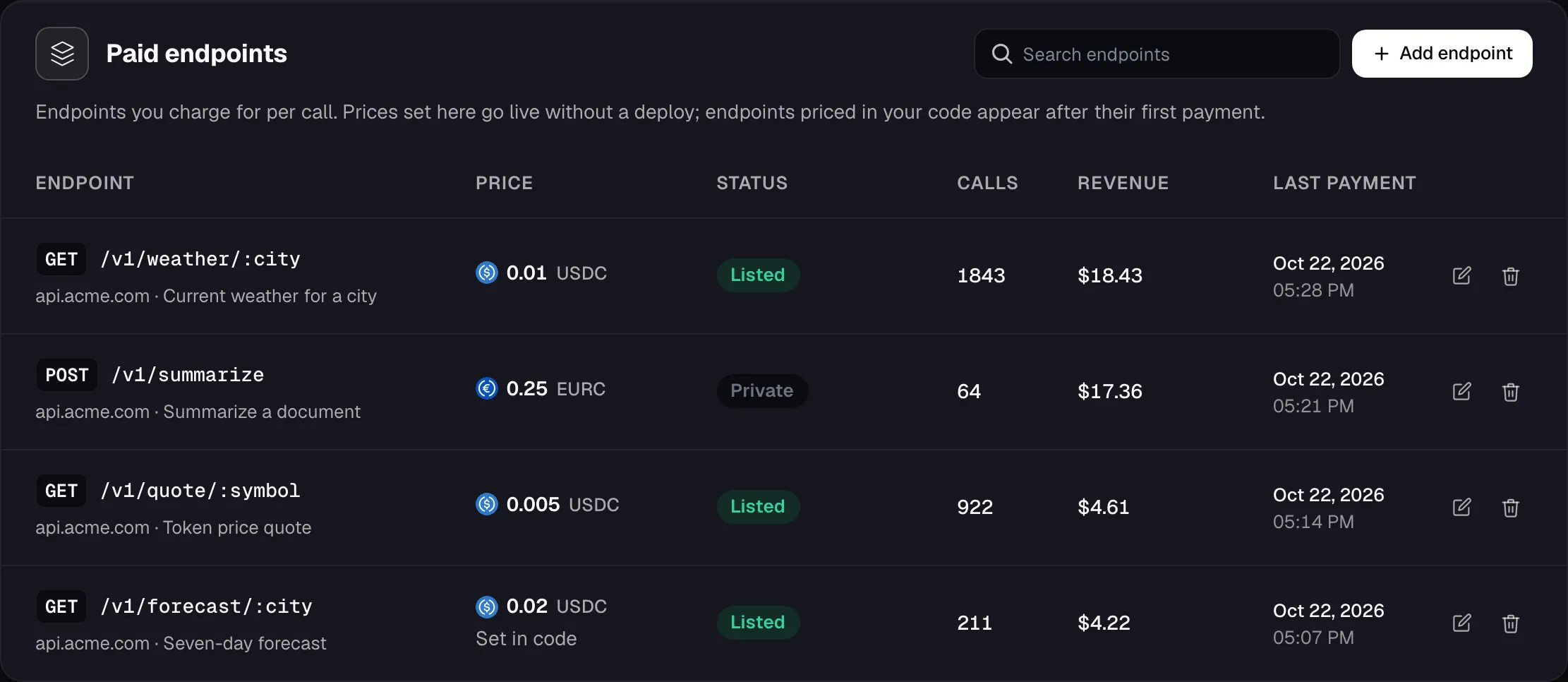
Section titled “List an endpoint priced in the dashboard”Turn on List publicly when you add or edit an endpoint. The Status column of the Endpoints tab shows which endpoints are listed.
Open endpoints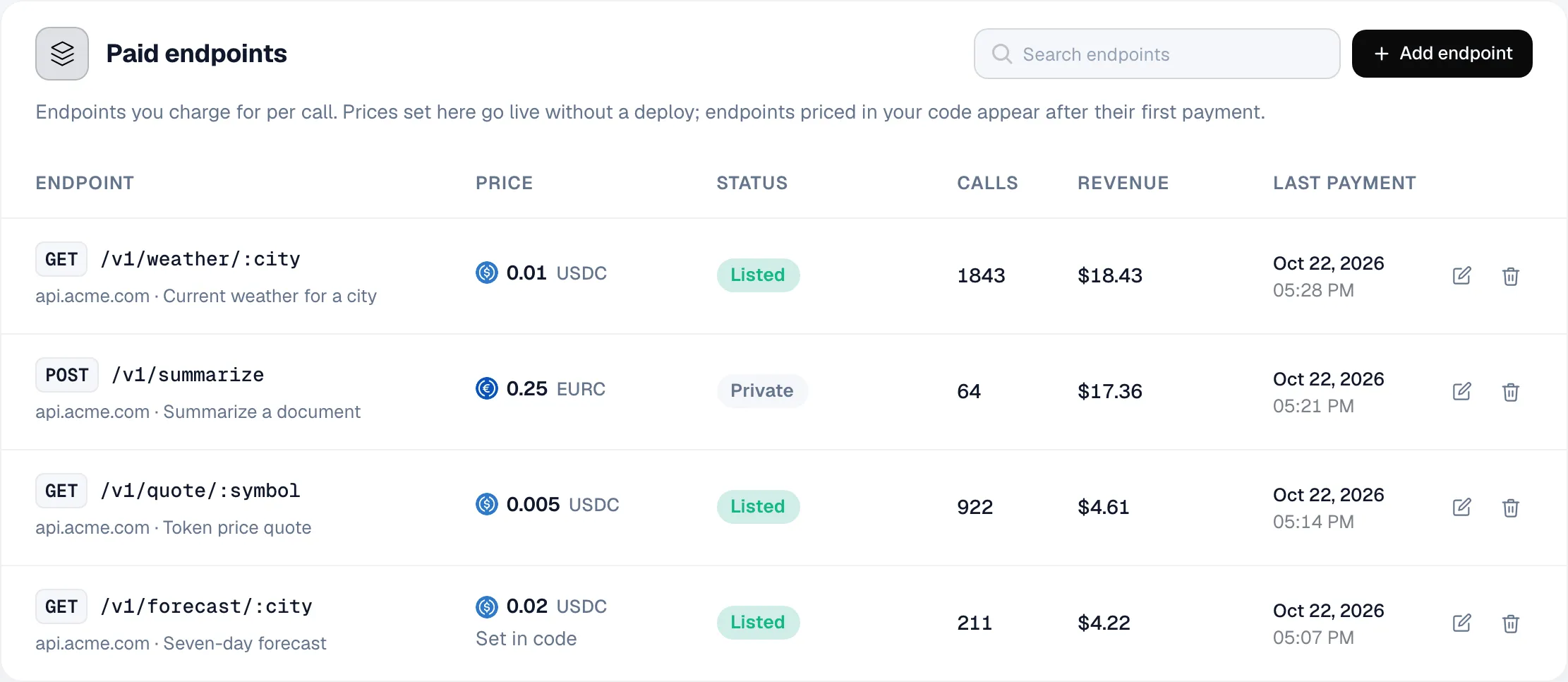
Agents choose endpoints by what they read about them:
| Field | What it tells agents |
|---|---|
| Description | What the endpoint returns and when to call it, in plain language, up to 500 characters. Sent as resource.description. |
| Tags | Up to 5 topics, such as weather or finance, that marketplaces search by. Sent as resource.tags. |
Install @x402/extensions next to your @cryptonly/x402-* package too. It then adds the route template and path parameters to the endpoint’s 402 response.
The Advanced fields describe the endpoint for agents:
| Field | What it tells agents |
|---|---|
| Payment timeout | How long a signed payment stays valid. Sent as maxTimeoutSeconds. |
| Response type | The content type of the response, such as application/json. |
| Input JSON Schema | How to call the endpoint: query parameters for GET, HEAD and DELETE, the body for POST, PUT and PATCH. |
| Output JSON Schema | What the endpoint returns. |
List an endpoint priced in code
Section titled “List an endpoint priced in code”Add the Bazaar extension to the route, on top of the setup from Prices in your code:
import { bazaarResourceServerExtension, declareDiscoveryExtension } from '@x402/extensions/bazaar';
server.registerExtension(bazaarResourceServerExtension);
app.use(  paymentMiddleware(    {      'GET /v1/quote/:symbol': {        accepts: [          { scheme: 'exact', price: '$0.005', network: 'eip155:8453', payTo: process.env.PAY_TO! },        ],        description: 'Token price quote',        tags: ['finance', 'prices'],        extensions: declareDiscoveryExtension({          output: { example: { symbol: 'SOL', usd: 150.25 } },        }),      },    },    server,  ),);
import { declareDiscoveryExtension } from '@x402/extensions/bazaar';
@X402({ accepts: { scheme: 'exact', price: '$0.005', network: 'eip155:8453', payTo: process.env.PAY_TO! }, description: 'Token price quote', tags: ['finance', 'prices'], extensions: declareDiscoveryExtension({ output: { example: { symbol: 'SOL', usd: 150.25 } }, }),})@Get('quote/:symbol')quote(@Param('symbol') symbol: string) { return { symbol, usd: 150.25 };}@X402() registers the Bazaar extension itself when @x402/extensions is installed.
# pip install "x402[extensions]"from x402.extensions.bazaar import OutputConfig, bazaar_resource_server_extension, declare_discovery_extension
server.register_extension(bazaar_resource_server_extension)
routes = {    "GET /v1/quote/:symbol": RouteConfig(        accepts=PaymentOption(scheme="exact", price="$0.005", network="eip155:8453", pay_to=os.environ["PAY_TO"]),        description="Token price quote",        tags=["finance", "prices"],        extensions=declare_discovery_extension(output=OutputConfig(example={"symbol": "SOL", "usd": 150.25})),    ),}
The route is listed after its first payment. A route with path parameters is listed once, as /v1/quote/:symbol. The feed takes the description and tags from your 402, and the name and icon from your listing.
Staying listed
Section titled “Staying listed”- Every 10 minutes, Cryptonly makes an unpaid request to each listed endpoint. It must answer
402and ask to be paid to one of your addresses. - An endpoint that fails 3 checks in a row, or passes none for 24 hours, is removed from the feed. It comes back once it passes again.
- To remove an endpoint yourself, turn off List publicly, or stop declaring discovery in code.
- Your account needs a listing name.
- You can list up to 50 endpoints per account.
- Endpoints of verified businesses are marked with
extensions.cryptonly.verifiedMerchant: true.
Read the feed
Section titled “Read the feed”The feed is public JSON in the x402 Bazaar format, at GET https://api.cryptonly.net/x402/discovery/resources:
curl "https://api.cryptonly.net/x402/discovery/resources?limit=20"The sandbox feed is at https://sandbox-api.cryptonly.net/x402/discovery/resources. The feed needs no API key.
Each item carries serviceName, iconUrl and tags next to description and accepts. Filter with payTo, network, scheme and extensions (for example extensions=bazaar), and page with limit and offset.
Or use a client:
import { fetchDiscoveryResources } from '@cryptonly/x402';
const { items } = await fetchDiscoveryResources({ network: 'eip155:8453', limit: 50 });
import { HTTPFacilitatorClient } from '@x402/core/server';import { withBazaar } from '@x402/extensions/bazaar';
const client = withBazaar( new HTTPFacilitatorClient({ url: 'https://api.cryptonly.net/x402' }),);const { items } = await client.extensions.bazaar.listResources();# pip install "x402[extensions]"from x402.extensions.bazaar import with_bazaarfrom x402.http import FacilitatorConfig, HTTPFacilitatorClientSync
client = with_bazaar(HTTPFacilitatorClientSync(FacilitatorConfig(url="https://api.cryptonly.net/x402")))items = client.extensions.bazaar.list_resources().items